
VideoPlus.ai Prompt Guide
Last updated: Apr 03
Beginner's Tutorial
Prompt Dictionary
| Dimension Category | Dimension Subcategory | Applicable Interfaces | Trigger Keywords | Applicable Styles |
|---|---|---|---|---|
| Subject Description | Dynamic Control | Text-to-Video Image-to-Video Reference Video |
| General |
| Camera Language | Basic Camera Movement | Text-to-Video Image-to-Video Reference Video |
| General |
| Camera Language | Special Shooting Techniques | Text-to-Video Image-to-Video Reference Video |
| General |
| Camera Language | Shot Types | Text-to-Video Image-to-Video Reference Video |
| General |
| Camera Language | Angles | Text-to-Video Image-to-Video Reference Video |
| General |
| Camera Language | Composition | Text-to-Video Image-to-Video Reference Video |
| General |
| Video Style | Visual Style | Text-to-Video Reference Video |
| General |
| Video Style | Director Style | Text-to-Video |
| Animation |
| Special Effects | Effects | Text-to-Video Image-to-Video Reference Video |
| General |
| Atmosphere | Atmosphere | Text-to-Video Image-to-Video Reference Video |
| General |
Prompt Optimization
The effects generated by the prompts written for the first time are often unstable. When defects are found, it is basically necessary to modify the prompts for optimization.
Of course, it should also be noted that prompts are not omnipotent. When some effects cannot be achieved no matter how they are modified, it may be due to the limitations of the model itself.
| Function | Expected Effect | Input Image | Original Prompt | Original Video Effect | Tuned Prompt | Tuned Video Effect | Case Analysis |
|---|---|---|---|---|---|---|---|
| Image Generation | Train moving forward | 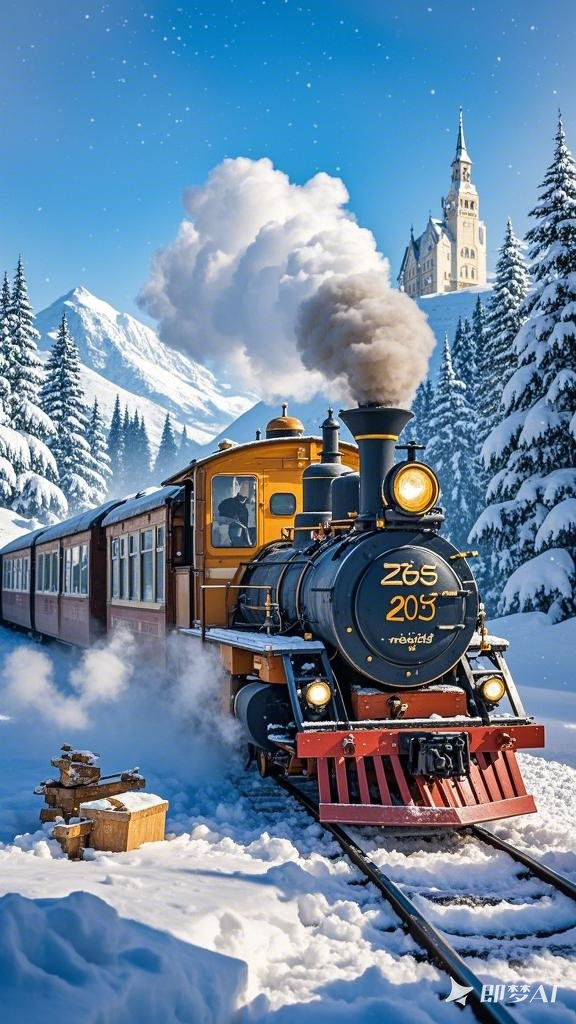 | The train is moving forward | # Theme The train is moving, the front of the train is gradually enlarged, smoke is constantly rising, and the pine trees are gradually shrinking. # Requirements: 1. Camera movement: follow to the right | • Original prompt: There is a certain probability that visually, it looks like the train is moving backward. • Tuned prompt: Create the direction of movement through the size ratio relationship between the subject and the background. | ||
| Image Generation | Transform into a 3D character | 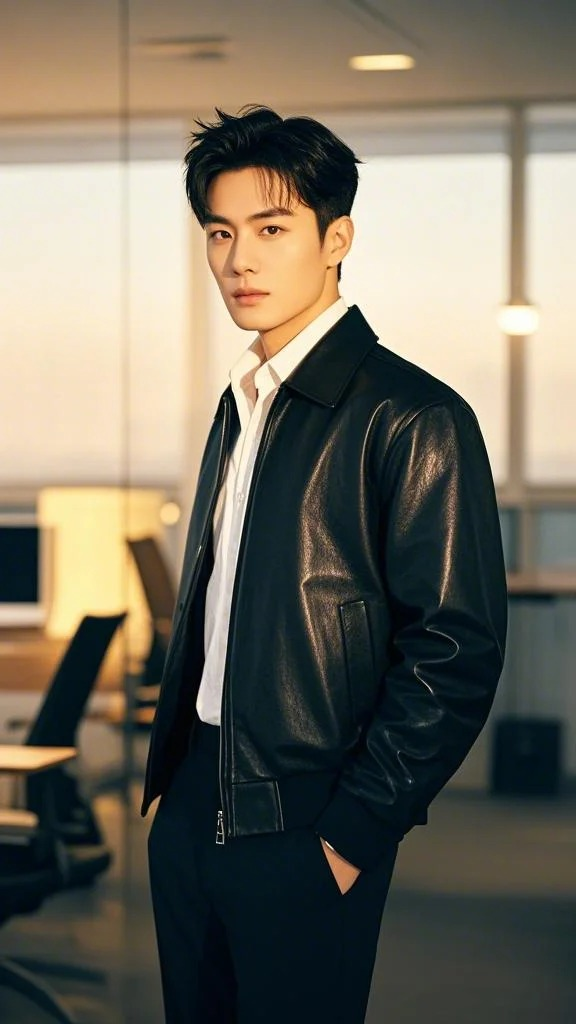 | The character in the image transforms into a 3D cartoon character | # Theme Transform image 1 into a Pixar/Disney style character through the 3D rendering process. # Style 3D rendering # Requirements: 1. Describe the subject in image 1 in detail. 2. Describe the transformation process in detail. 3. Describe the final Pixar/Disney style character in detail, including oversized eyes, rosy cheeks, hands, legs, actions, facial expressions, and exaggerated body proportions. | • Original prompt: There is a certain probability that it cannot transform into a 3D cartoon character. • Tuned prompt: Added details about the transformation process and the character after the transformation. | ||
| Reference Generation | Forest Style Dynamic Photo - Single Person | 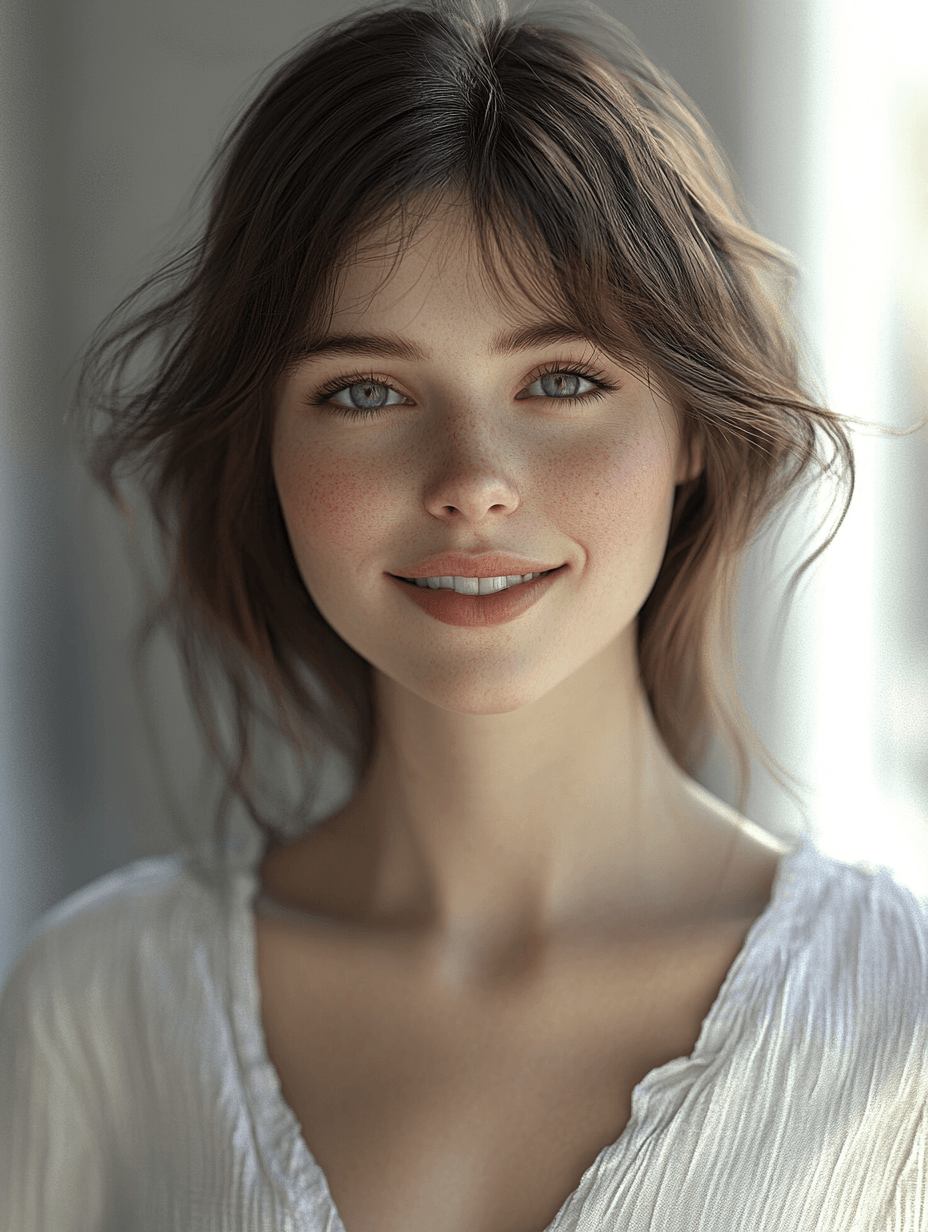 | The woman walks gracefully towards the camera, her steps firm and elegant. On the forest path, sunlight filters through the mottled shadows of the trees onto her shoulders, a gentle breeze rustles her skirt, exuding ease and composure, while fallen leaves flutter lightly with her steps. | # Theme The woman walks gracefully towards the camera, her steps firm and elegant. On the forest path, sunlight filters through the mottled shadows of the trees onto her shoulders, a gentle breeze rustles her skirt, exuding ease and composure, while fallen leaves flutter lightly with her steps. # Requirements 1. Camera movement: lens zoom out | Original prompt: The walking effect of the corresponding video looks very strange, which may be related to the fixed lens. Tuned prompt: Added lens control, which can be seen to make the character's movements much more natural with the lens movement. If you expect this prompt to adapt to various images input by users, you can continue to adjust it according to the 2-1 method. |
Advanced Tutorial
1. Easily Navigate the "Subject Library"
1.1 How to Enhance Subject Consistency?
Establishing the core of the subject involves 2 steps: 1 is to upload images, and 2 is to confirm the descriptions. It is recommended to upload three views of the subject (front, side, back); if not available, multiple angle images or images with depth can also be uploaded. The descriptions need to be carefully reviewed, and any discrepancies should be corrected to improve recognition accuracy.
1.2 How to Use My Subject in Prompts?
There are 2 ways: 1 is to check in "My Subjects", and 2 is to input @ to call it in the prompt input box.
In prompt writing, the subject can be placed at the end of the prompt or interspersed within the prompt.
1.3 How to Enhance Prompt Control?
- The total number of images used should not exceed 7, and the total number of subjects should not exceed 4.
- If the actions of the objects do not meet expectations, try adding descriptive words to the subject, such as a boy with a bun hairstyle @Nezha, or a dog with a blue neck collar @dog.
- The structure of the prompt can be adjusted, for example, first frame xxxx, middle frame xxxx, last frame xxxx, or first second xxxx, second second xxx.
Quality Case Examples
| Prompt | Video Clip |
|---|---|
| Nezha and the dog playing together in image 1 @dog@Nezha@image1 | |
| Aerial shot, close-up of @Han Li's face, he looks up with a shocked expression at the camera. The camera pulls up, showcasing a sense of smallness. @image1 |
2. Camera Control
By using camera prompt words, you can control the movement of the camera and achieve the combination of two camera movements.
| Camera Group | Single Camera | Basic Camera | |||
|---|---|---|---|---|---|
| Push + Clockwise Rotation | Left Move Tracking | Rise | |||
| Pull + Counterclockwise Rotation | Right Move Tracking | Pull | |||
| Drop + Push | Clockwise Rotation | Push | |||
| Lift + Pull | Counterclockwise Rotation | Fixed Shot | |||
Introduction to Reference Generation
1. Introduction to Reference Generation Functions
1.1 Precise Control of Complex Subjects
Whether it's a detail-rich character or a complex object, VideoPlus.ai ensures consistency from multiple different perspectives.
Example: For a complex 3D animated character, regardless of how the perspective changes, VideoPlus.ai always ensures that the details of the head shape and clothing are consistent from all angles, avoiding flaws that traditional video models produce during complex perspective shifts.
1.2 Natural Consistency of Facial Features and Dynamic Expressions
In close-up shots of characters, VideoPlus.ai can naturally and smoothly maintain the coherence of facial features and expressions, avoiding stiffness or distortion of the face. The fine control of facial features gives VideoPlus.ai a significant advantage in creating delicate and realistic characters.
1.3 Camera Control
By using camera prompts, the movement of the camera can be controlled, and the combination of two camera movements can be achieved.
VideoPlus.ai Prompt Basic Structure
1. Prompt Framework
Subject/Scene——Scene Description——Environment Description——Art Style/Medium
Notes:
- Adjust sentence structure and word order to avoid excessive/complex subjects and scattered descriptions.
- Avoid vague terminology; be as precise as possible.
- Use more fluent and accurate colloquial expressions, avoiding overly literary narratives.
- Rich, accurate, and complete descriptions are necessary to generate videos that meet specific artistic styles and requirements.
2. Explanation of Prompt and Visual Association
To help you better understand, let's use a single frame image as the simplest example to introduce the relationship between prompts and visual associations.

Original Prompt:
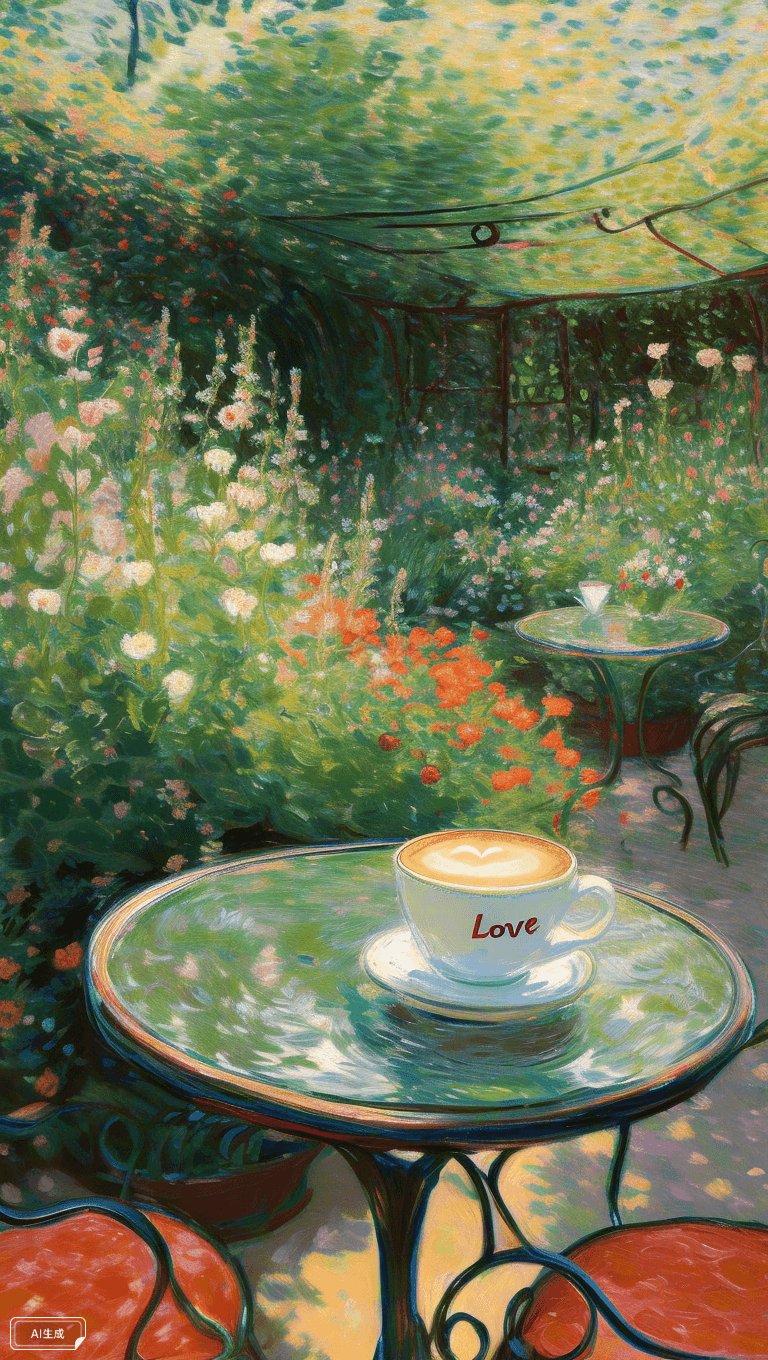
A coffee cup on a glass table with the word LOVE written on the outside of the cup.
Associative Prompt:
Coffee cups on a transparent glass table in a garden with the word LOVE written on the outside of the cups, surrounded by flowers in full bloom, warm sunshine flooding the garden, Claude Monet, Impressionist style.
Key Points of Association:
- Specific and detailed location/environment descriptions: Generally speaking, this is about composition, which helps build the basic presentation effect of the image.
- Art style description: Further enhances the effect and atmosphere, unifying the visual style.
3. Effect Examples
3.1 Overview
When prompts follow the basic structure of subject/scene (mainly referring to specific content), scene description, environment description, and art style/medium, it can enhance video generation effects to some extent.
Repetition and reinforcement of key content style descriptions at different positions in the prompt can moderately improve the consistency of the output style and the richness of the visuals.
3.2 Specific Example
Taking "Corgi swimming" as an example
Original Prompt:
A baby corgi swims in a large pool
Associative Prompt:
Capture a serene moment featuring a baby Corgi swimming gracefully in a large, sunlit pool. The underwater perspective showcases the puppy, its gentle smile illuminated by soft, golden hour lighting that filters through the water, creating a dance of light and shadow on the pool's bottom. The scene is set in soft pastel colors, enhancing the dreamlike, ethereal quality of the atmosphere. The high-resolution photography captures every delicate detail of the water's texture and the Corgi's joyful expression, creating a simple yet cinematic portrait of tranquility and innocence. This minimalist yet emotive setup conveys a sense of calm and happiness, ideal for a serene and visually captivating film sequence.
3.3 Prompt Analysis
3.3.1 "Corgi Swimming" Video Generation Requirements
- Warm and tranquil atmosphere
- Cinematic visuals and texture
- Soft lighting effects
VideoPlus.ai Prompt Keywords
Using "Teddy bear" as the main character for stylized effect demonstrations, showing how keywords can help achieve various film styles and shooting methods to better fulfill personal video generation needs.
Basic Prompt:
A melancholic teddy bear, dressed in rugged attire with a wide-brimmed hat and a bandolier, gazes at the camera, its lips trembling slightly as it exhales a puff of smoke. The warm glow of its cigarette illuminates its face, casting shadows that emphasize its somber mood. Its paws rest on the porch railing in a relaxed pose, but its button eyes betray a deeper sadness. As it slowly turns its head to the left, its gaze shifts to the distant horizon, lost in thought. The lighting is low, with cool blue tones contrasting the warm light from the cigarette, enhancing the mood of quiet reflection. The setting, a porch with wooden panels and a window behind it, completes the Western ambiance, capturing a moment of introspective solitude amidst the vast, open landscape.
Stylized Prompt:
In classical romantic movie style (Movie Style/Shooting Method/Medium), a melancholic teddy bear, dressed in rugged Western attire with a wide-brimmed hat and a bandolier, gazes at the camera, its lips trembling slightly as it exhales a puff of smoke. The warm glow of its cigarette illuminates its face, casting shadows that emphasize its somber mood. Its paws rest on the porch railing in a relaxed pose, but its button eyes betray a deeper sadness. As it slowly turns its head to the left, its gaze shifts to the distant horizon, lost in thought. The lighting is soft, with a blend of pink and golden hues from a setting sun, enhancing a romantic atmosphere. The setting, a porch with wooden panels and a window behind it, completes the Western ambiance, capturing a moment of introspective solitude amidst the vast, open landscape.
1. Movie Styles
| keyword | Output |
|---|---|
| Basic Style | |
| Sci-fi | |
| Western | |
| Romance | |
| Crime | |
| Horror/Thriller | |
| Noir | |
| Comedy | |
| Drama | |
| Action | |
| Documentary | |
| Animation |
2. Visual Art Styles
| keyword | Output |
|---|---|
| Artist/Artwork | Reference Style: Vincent Willem van Gogh 'The Starry Night' Reference Style: Gustav Klimt 'Kiss' Reference Style: Sandro Botticelli 'The Birth of Venus' Reference Style: Salvador Domingo Felipe Jacinto Dalí i Domènech 'The Persistence of Memory' |
| Pop Art | |
| Steampunk | |
| Claymation | |
| Ice Sculpture |
3. Shooting and Action Methods
| keyword | Output | Notes |
|---|---|---|
| Time-lapse | ||
| Underwater Photography | ||
| First Person View (FPV) | Recommend using Recaption feature for the following | |
| Hand held | ||
| Close up | ||
| Grows | ||
| Explodes | ||
| Shatters |
Unlock limitless creativity with a cutting-edge
AI tool designed for innovation and growth | VideoPlus.AI